Sample · fictional companies
See your company as one map.
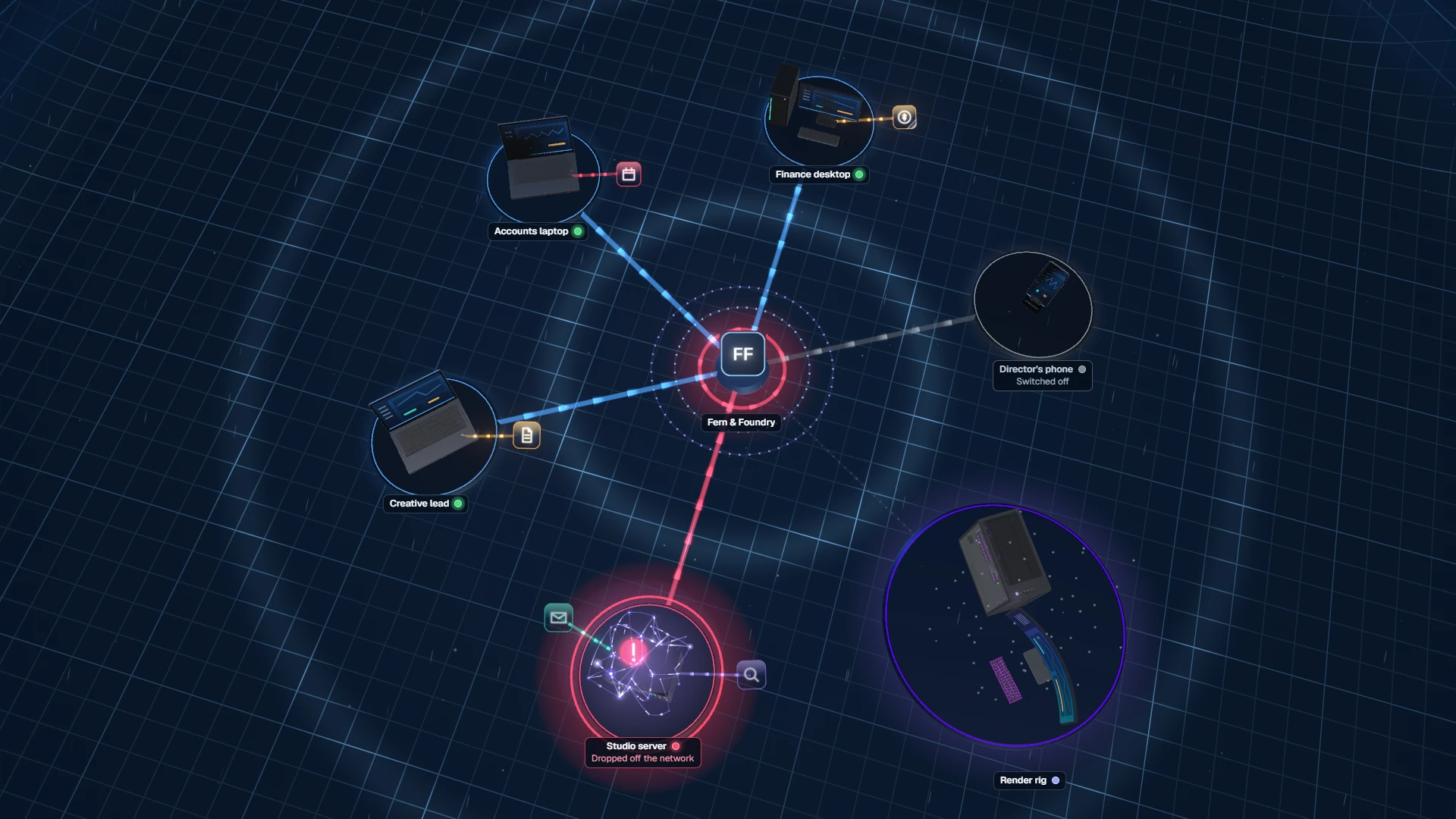
Pick a company, move around it, then run the review to see what a review of your systems would find, or run a fault drill to see what the live map does when something breaks. Every company, machine, agent, fault and number on this page is invented.
Try it on your own firm or workspace: the free self-check →Six questions, a map of your likely exposures with a price guide, and nothing sent anywhere.
The 3D map isn't available in this browser. The numbers and findings still describe the sample company.
- Machines
- 0
- AI agents
- 0
- Agent actions logged
- 0
- Open risks
- 0
What the review found
Drag to move. Right-drag to turn. Click the map, then scroll to zoom. Click anything to go to it.Drag sideways to move. Pinch to zoom. Tap anything to go to it.
Who this is for
- IT support companiesYou hold the keys to every client. A clear map is something you can show them, and something you can offer them.
- Agencies and studiosAI tools arrived one person at a time, and clients are starting to ask how their data is handled.
- Founders with AI agentsOne person, several machines and agents working overnight, with no second person to notice a mistake.
- Firms that hold client recordsAccountants, solicitors, financial advisers, health practices and similar small teams with serious duties, who need to show who can reach what.
- Online shopsTills, warehouse machines and agents that can spend money, usually on one shared network.
What the colours mean
The fault drill plays sample faults through the same rules the live map uses. Every machine's name carries a small dot for its connection, and only something actually broken turns red.
- Red means brokenAn always-on computer that drops off the network, or an agent whose gateway has halted.
- Amber means a person should lookA blocked task or something waiting for a decision. Nothing is broken.
- Grey means switched off on purposeA machine or agent someone turned off. It is never shown as a fault.
- Teal and green mean workingConnected and reporting. A fault goes back to this as soon as it recovers.
What a real map shows
- Every machineLaptops, servers, phones and shared apps, drawn as what they are.
- Every agentWhat each one does, what it has done and whether a person checks it.
- Every exposureWho can reach what, and what is open to the internet.
- The fix listEach risk ranked, with the fix written out in plain words.
How it stays safe
- Read-only: it can look, not change anything.
- It runs on your machines. Nothing is sent to me or anyone else.
- It stores no passwords or keys.
- It only shows what your systems already report, and marks anything it can't confirm.
This demonstration runs on an invented company. The original runs on my own systems every day.
Have it done for your systems
Extras
- Quarterly re-check£150 to £1,250 a quarterWhat changed since the last check: new AI tools, new connected apps and new access, ranked the same way. £150 for one person, £450 up to 10 people, £850 up to 25 and £1,250 up to 50.
- Partner summary+£150One page in plain English for the people who sign off. Included for law, accountancy, financial advice and health firms.
- Every extra is optional, and you get a fixed written quote before any work starts.
- No VAT is charged, because ChaseInTech is not VAT registered.
What I'll ask you
A few facts about your firm let me size the check and say which exports I would need.
- Who is it for: what kind of firm and roughly how many people, or just you?For example: IT support company, 14 staff and about 60 client sites
- Roughly how many computers, servers and cloud accounts are involved?For example: 20 laptops, 2 servers, Microsoft 365 and Google Workspace
- Which AI tools or agents are in use, as far as you know?For example: Copilot in Microsoft 365, ChatGPT Team, one automation that reads the shared inbox
- What prompted the check?A client question, insurance, an incident or just wanting to know.For example: A client asked whether our AI tools can see their files
- Is it a law firm, or do you handle legal or regulated client data?For example: No / Yes, conveyancing files
Questions
What will you ask me before we start?
A few facts about your firm let me size the check and say which exports I would need. The 5 questions are listed on this page under "What I'll ask you". You can answer them on the enquiry page, then email or copy the brief.
How is the final price agreed?
The catalogue price is a starting point. The proposal confirms the scope, delivery stages, fees, provider costs and acceptance checks before work begins.
What happens after delivery?
You receive the agreed handover and remaining-issue notes. Additional features, continued operation and support are scoped separately.