Build log
Opus Vela Space: from a storage map to a signed Windows release
Building a local storage explorer meant fixing the map, the restart path and the delivery path—not just drawing a polished interface.
Source: Public Space 0.5.1 release, signed installer and update feed; operator-approved sample-file film and privacy-screened native verification.
Technical bibliography record
The build, in five parts.
- 01 Built
- A Rust/Tauri Windows storage explorer with capacity reporting, previews, reviewed file actions, duplicate keep choices, categories, saved inventories and scan schedules.
- 02 Process
- Reproduce the user-visible failure, test an owned fixture, inspect the native render, then verify the exact signed artifact and live downloader. Keep the user’s running scan separate from release QA.
- 03 Learned
- A welcome page can look like a frozen loading screen when last-root restoration is missing. Discovered bytes also need to be separated from Windows capacity so an incomplete inventory is not mistaken for the entire disk.
- 04 Skills
- RustWindows metadata APIsTauriSQLite snapshotsReact and TypeScriptD3 and PixiJSNSIS and AuthenticodeMinisignPlaywright60 fps product storytelling
- 05 Saved
- Versioned source, regression tests, signed installer and checksum, live updater verification, native and browser visual evidence, captioned film and this public build record.
Visual QA and product evidence
See the milestone, not only the summary.
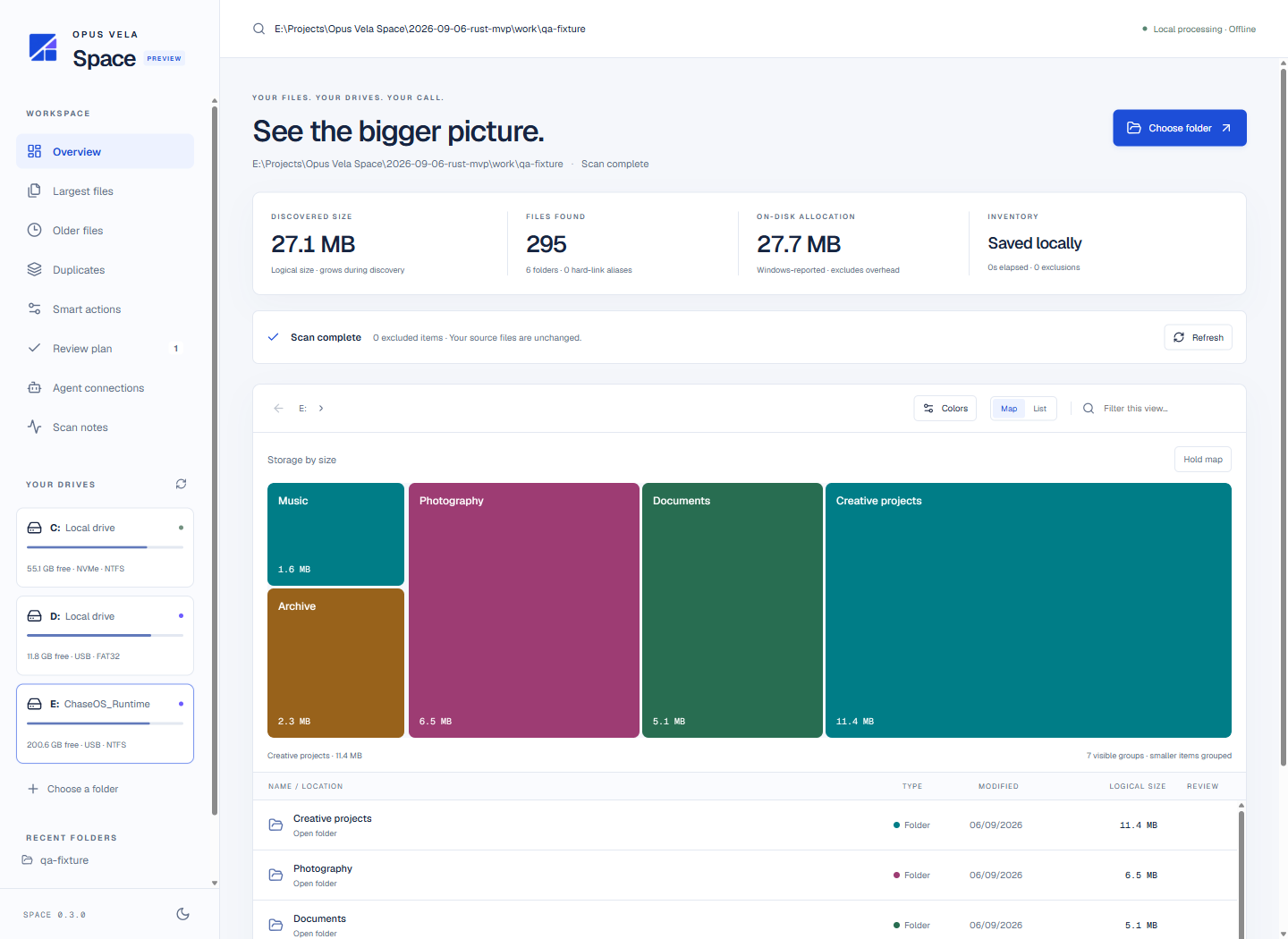
Start with the actual user problem#
The app had to explain a full drive, including external storage, and let people act on what they found. A rendered map was the starting point; capacity, previews, Explorer access and reviewable file actions made the information useful.
Treat delivery as part of the product#
The 6,623,544-byte installer was signed, timestamped and verified after a public download. The website downloader and in-app feed use the same release manifest. An isolated older app discovered and verified 0.5.1 through its native updater without interrupting the working application.
Show a workflow, not a feature montage#
The approved film moves from a full drive to drive selection, largest files, duplicate comparison, smart actions and saved inventories. Wide views establish orientation; guided zooms focus on the control being explained. The 1920×1080 export runs at 60 fps with narration, burned captions and WebVTT.
What the evidence supports#
Five startup tests, native restart and recovery checks, 315 website tests, live desktop/mobile visual checks and a native signed download passed. Very large first scans remain slow; incremental indexing, restartable unfinished scans and broader clean-machine acceptance remain future work. No universal speedup or autonomous cleanup is claimed.