ChaseInTech Digest
Browser agents need isolated sessions and account checks, not just extra tabs
Keep browser sessions apart, check the acting account and verify the result. A synthetic fixture tests cookie and local-storage separation, not permissions.
Also posted on LinkedIn
Opening a second tab does not isolate a browser session. When an agent works across brands, use a dedicated browser profile or isolated browser context for each intended session, then check the signed-in member and acting brand at the destination. A profile, a context and a service account are different things: separating browser storage does not create a new account or change its permissions.123
I want an agent to answer two questions before it submits anything: which account is acting, and which exact action did I approve? A browser window title, a remembered login or a successful upload is not enough to answer both.
What a tab does not separate
Playwright describes browser contexts as isolated environments with their own cookies and storage. It can create several contexts inside one browser, and each test normally receives a fresh context.1 That is different from creating another page inside the same context.
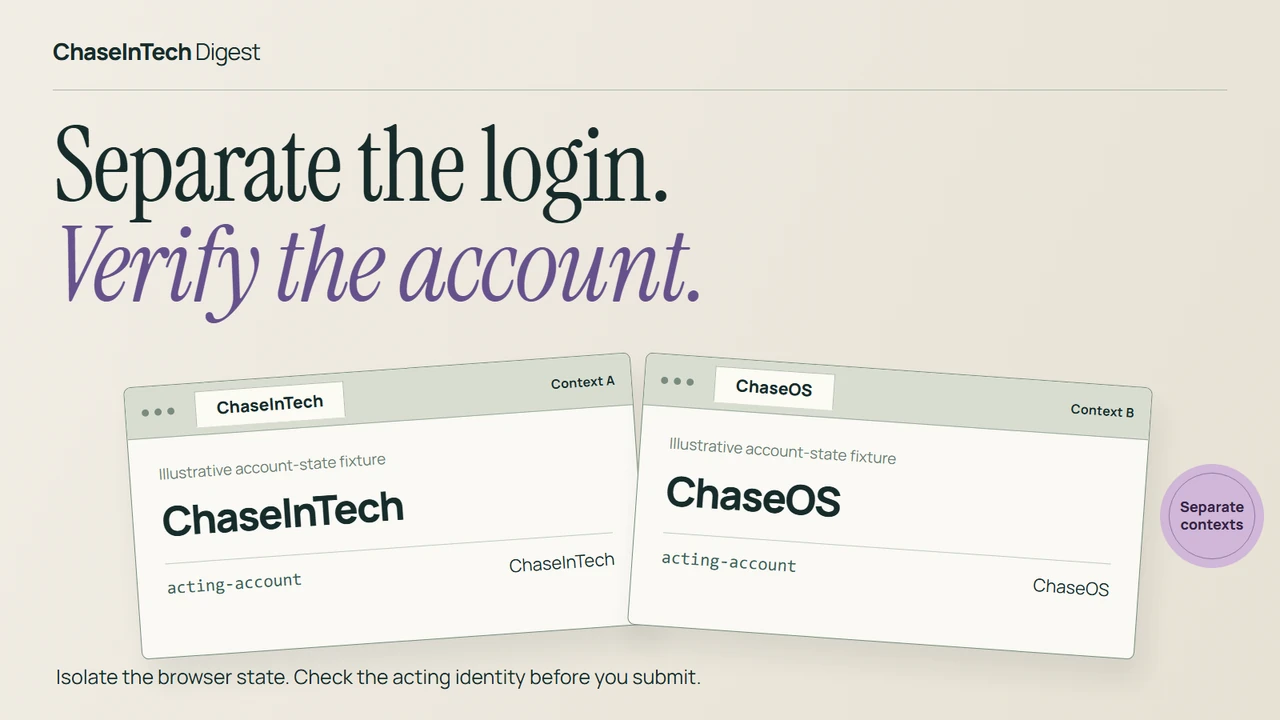
The accompanying test checks the difference with a small routed fixture. It used a fictional hostname and a deliberately synthetic cookie called demo-account; it never logged into a real service. Context A received the value Brand-A. Two pages inside A could read that cookie. A page inside context B could not. A local-storage draft written by A was visible to A’s second page and absent from B.
All five assertions passed. They show only that these synthetic cookies and local-storage values were shared within context A and absent from context B. The test did not check real account permissions, provider account switchers or a complete security boundary. The editable test and its JSON result belong with this article’s review package.
The result explains a familiar mistake: an operator gives two tabs different jobs and assumes the tabs are separate accounts. The browser may still be supplying the same session. Separate contexts or profiles help keep browser state apart; neither tells you which service account or brand is acting.
What Chrome profiles keep separate
Google recommends Chrome profiles for keeping work and personal accounts separate. Profiles also separate browser information such as history, bookmarks and settings. Google explicitly warns that someone with access to the device can switch to another profile and view its information.3
That warning matters. A dedicated brand profile is an operating boundary, not a security boundary against an untrusted person using your computer. Keep the device and operating-system account protected. Do not describe a profile colour or folder name as access control.
For repeated manual and automated work, I would keep one approved profile per operational identity, give it a clear name, and maintain a routing record that maps the profile to the intended public account. That record should hold public account identifiers and profile locations, not exported cookies or recovery codes.
The fixture uses fresh, non-persistent Playwright contexts. A dedicated persistent profile can keep a session between runs, but it is not the same thing as a temporary context or a separate service account. Neither approach removes the need to inspect the active identity on the real destination before a write.
One member can act for several brands
The awkward case is a service where one signed-in person administers several organisations. Separating member sessions cannot, by itself, select the correct organisation.
The workflow needs two checks. First confirm the signed-in member. Then confirm the acting organisation, workspace or Page in the actual composer or action screen. Check the account selector before submitting, while you can still stop a post going to the wrong brand.
For an article-driving post, I would record the platform, member or brand identity, exact caption, image file, destination URL and whether the instruction is to draft or publish. Immediately before submission, compare those values with the composer. If the identity changes, stop and rebuild that comparison. The approval should not silently transfer to the newly selected account.
This is a recommended operating method. It does not assert that a provider’s interface enforces all these bindings for you.
Authenticated state is sensitive data
Playwright’s authentication documentation warns that saved browser-state files can contain cookies and headers that allow someone to impersonate the account. It strongly discourages checking those files into public or private repositories.2
A state file is not an ordinary test fixture. Keep it out of article attachments, screenshots, source ledgers, logs and handovers. Share a public account identifier and a non-sensitive readiness result instead of the session itself.
The same documentation distinguishes tests that can safely reuse one account from tests that modify server-side state. For the latter, separate accounts may be necessary.2 Separate browser storage cannot undo a shared change made on the provider’s server. If two workers edit the same organisation settings, they can still interfere even when their browser contexts are isolated.
I would therefore separate the browser ownership decision from the account concurrency decision. Own one automation target at a time. Do not navigate, close or repurpose a tab another worker or the operator is using.
Recovery starts with reading back
An interrupted agent run should not resume with “click Post again.” It should first establish the current URL and screen, the acting account and whether the previous action happened.
For a public post, the useful evidence is the reopened permanent post URL under the intended identity. Check the actual remote image and the article link as well as the text. A successful composer state is preparation evidence; a success toast is an interim result. Neither proves that the media survived publication.
If the outcome is uncertain, keep it uncertain. Inspect the destination before retrying. If you find the intended post, record its permalink rather than creating a duplicate. If you cannot establish whether submission succeeded, report that boundary instead of making another public write merely to get a cleaner receipt.
This readback rule is a workflow recommendation, not a promise that all platforms expose reliable duplicate detection.
Before an agent submits
Before an approved action, confirm:
- The owned browser target belongs to this run.
- The profile or context is bound to the intended operational identity.
- The real destination shows the expected member and acting brand.
- The action remains within the approved scope.
- Caption, attachment and destination link match the reviewed payload.
- There is a defined way to verify the result without repeating the action.
After the action, reopen its exact target and record what is visible. Keep credentials and private account information out of that receipt.
I prefer this to another layer of prompt instructions telling the agent to be careful. Prompts still matter, but I would pair them with separated browser state and a concrete account check. The surrounding control plane needs to carry that context too; I discuss the broader runtime shift in Claude Code and Codex Are Quietly Becoming Agent Control Planes.
Short answers
Does a second tab isolate a browser login?
Not in the controlled fixture used here: both pages in one context shared the synthetic cookie and local storage. Use an isolated context or dedicated profile, then verify the destination’s active identity.1
Is a Chrome profile a security boundary against another device user?
No. Google warns that someone using your device can switch profiles. Profiles help separate browser information and accounts, but they do not replace device access controls.3
Can two isolated contexts safely change the same account?
Isolation separates browser state. It does not eliminate interference through shared server-side state. Playwright recommends different accounts for tests whose changes could affect one another.2
What should an agent do after an uncertain submission?
Read the destination and look for the intended result before retrying. Record uncertainty if it cannot be resolved; do not treat it as permission for a duplicate write.
Demonstration and credits
The article’s motion explainer and diagrams are original ChaseInTech editorial illustrations. The account names and storage values are synthetic. The accompanying Playwright fixture is a real local test, not a screenshot of a commercial provider or proof of its security controls. The motion explainer includes an original instrumental bed composed and synthesized locally, without third-party recordings, samples, vocals, footage or copied product-interface artwork.
Sources
1 https://playwright.dev/docs/browser-contexts 2 https://playwright.dev/docs/auth 3 https://support.google.com/chrome/answer/2364824